
Gotta be totally honest with you…I’m on the late train for posting about this new feature.  But I just have to tell you about it.
Recently Google added an Image Carousel option to Google Sites. Its easy to find, and easy to use. To start:
- Go to http://sites.google.com/new
- Create a new site by clicking the + or open an existing site
- From the Insert menu, choose Image Carousel from the lower section of the menu
- Choose your images
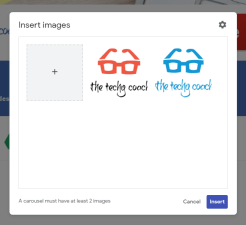 Click Insert
- To change the attributes (AutoStart, for example) of your carousel, click the the Gear
- Make sure to Publish when finished. Here is a site with an example of a simple carousel.
 The Techy Coach